Run exams your students can trust, and actually prove it.
Primosa is the exam system behind the scenes: live proctoring, automatic violation detection, instant auto-grading, and bulk student management — for schools, colleges, universities, and coaching institutes who can't afford to wing it.

What you get
An exam platform built for honesty, at scale.
Everything needed to plan, proctor, grade, and report on an exam — in one connected system, not six disconnected tools.
Live proctoring, without the awkward stares
Webcam and screen snapshots stream to the proctor dashboard in real time, alongside a live roster of every student's connection status — so one proctor can confidently watch a whole room.
- Automatic detection of tab switches, fullscreen exits, copy‑paste, and devtools
- Configurable warning limits, with auto-submit or lock on repeat violations
- Instant proctor-to-student messaging — warn, notify, lock, or force-submit
Every question type, graded the instant it's submitted
Single-choice, multiple-select, true/false, and descriptive questions — with per-question marks, negative marking, and optional shuffling. Objective answers are graded automatically; descriptive answers get a clean manual-evaluation screen for your faculty.
- Question-level marks and negative marking, applied consistently every time
- Shuffle questions, section-wise navigation, and configurable back-navigation
- Free practice mock tests students can retake — no proctoring, pure revision
Onboard a thousand students in one upload
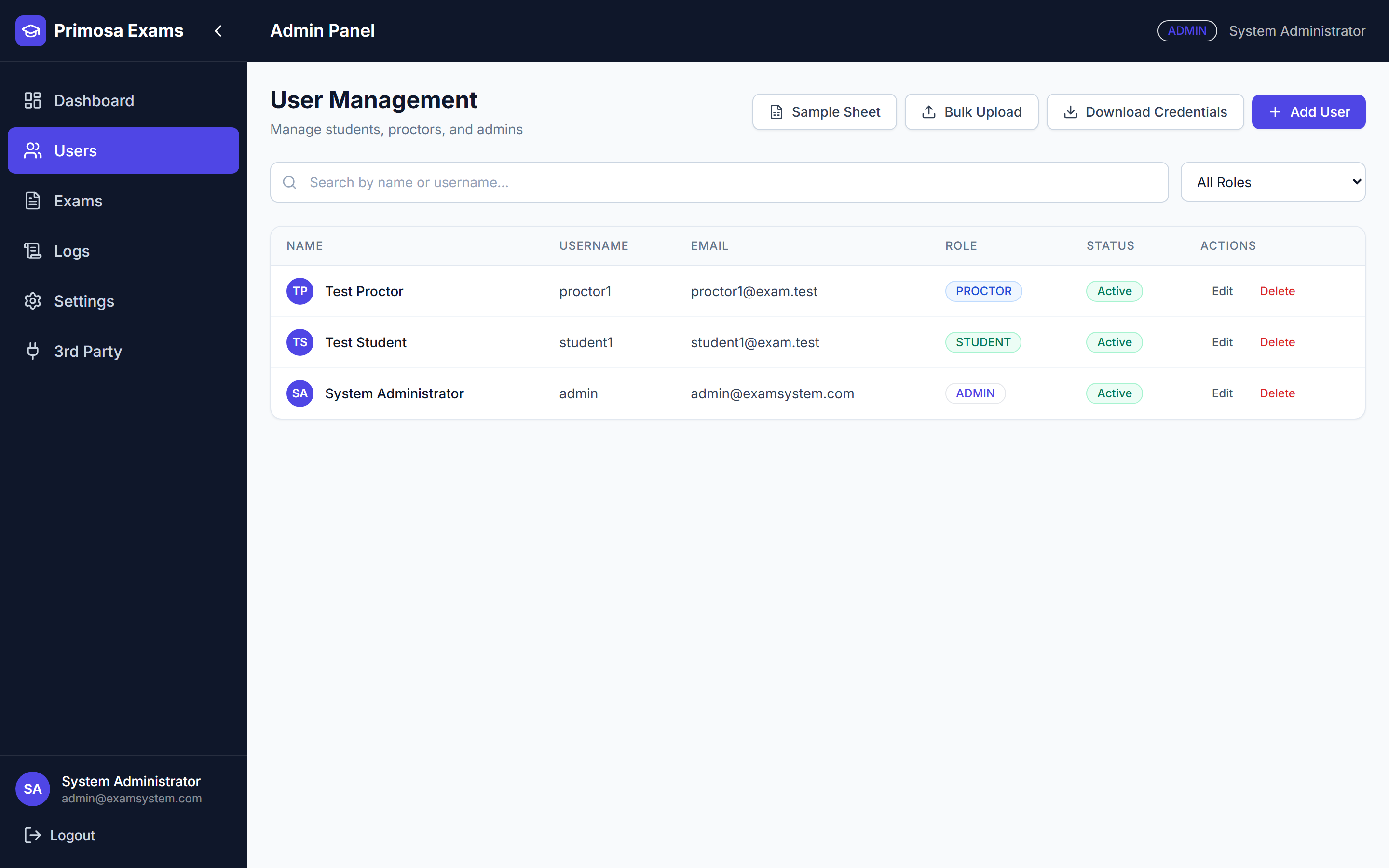
Drop in an Excel or CSV sheet and Primosa generates usernames and secure passwords automatically, assigns roles, and flags row-level errors — ready to hand out credentials in minutes, not days.
- Bulk upload for students, proctors, and admins with auto-generated credentials
- Role-based access control — students, proctors, admins, and super admins
- Scoped credential export — never a blanket dump of every password at once
No mockups, no stock photos
This is the actual product.
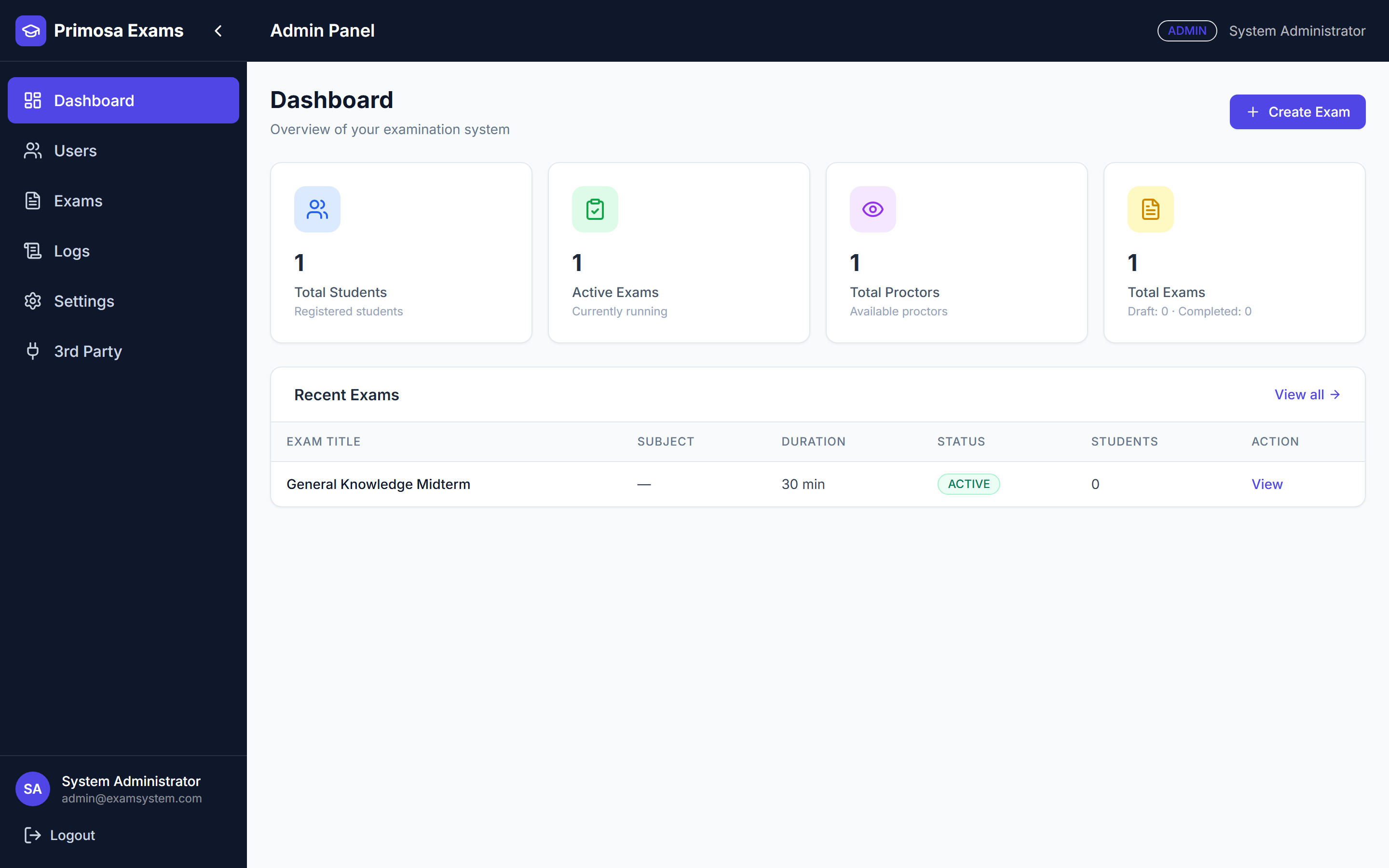
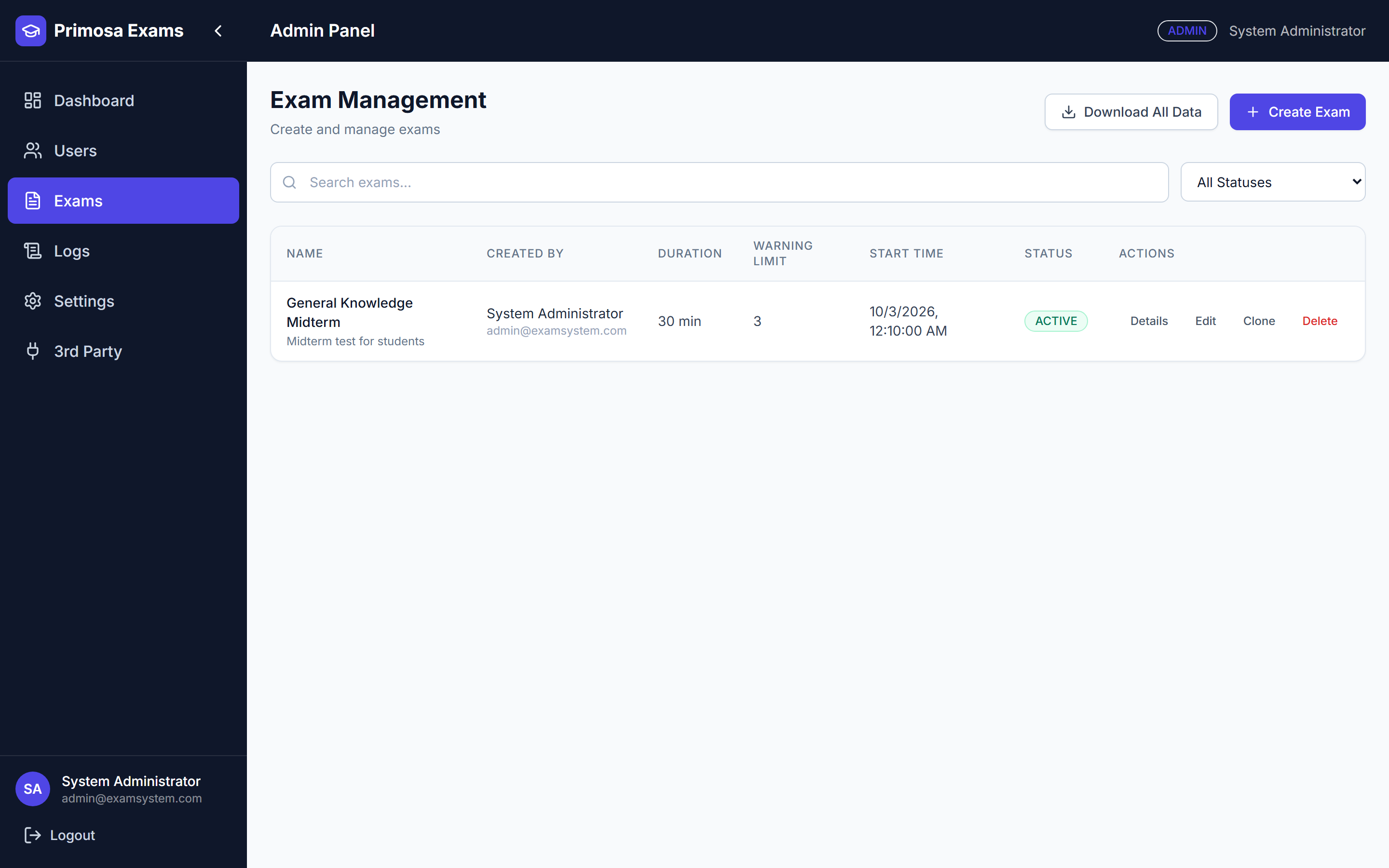
Pulled straight from a running instance — the same dashboard your admins and proctors would use on day one.
Built for everyone in the room
One platform, four perspectives.
Every role gets exactly the tools it needs — nothing borrowed, nothing missing.
Focus on the exam, not the software
- Clean, distraction-free exam room with a live timer and question navigator
- Instant results and detailed answer review for practice tests
- Clear violation warnings — never a surprise auto-submit
Watch ten rooms from one screen
- Real-time status, snapshots, and violation feed per student
- One-click warn, message, lock, or force-submit
- Full violation history, timestamped and exportable
Run the whole exam cycle
- Create, schedule, and clone exams; assign students and proctors
- Bulk user management and manual evaluation overrides
- Brand the portal with your own name, logo, and color theme
See everything, miss nothing
- Full activity timeline and audit log across the institution
- Direct data explorer for support and troubleshooting
- Ask plain-English questions and get real answers from your data
Integrity by design
Exam security that doesn't rely on trust alone.
Primosa combines browser lockdown with layered violation detection, so misconduct is caught and handled consistently — not just noticed after the fact.
Mandatory fullscreen lockdown
Exams begin in fullscreen and stay there — exiting is detected and logged instantly.
Tab & window-switch detection
Visibility and blur events are tracked to the second, with a configurable warning limit.
Webcam & screen snapshots
Periodic capture streamed live to the proctor dashboard for human verification.
Escalating warning ladder
First warning, final warning, then automatic submission or lock — configured per exam.
Blocked copy, paste & devtools
Right-click, copy/paste, and inspector shortcuts are disabled for the exam duration.
Full audit trail
Every login, submission, and override is logged with who, what, and when — always reviewable.
From blank page to final result
Four steps. No spreadsheets left behind.
Build the exam
Add questions manually or import them, set marks, negative marking, and timing rules.
Assign & schedule
Bulk-upload students, assign proctors, and set the exam window — recurring if you need it.
Proctor live
Watch the room, respond to violations, message students, and lock or force-submit as needed.
Evaluate & export
Objective questions are already graded — review descriptive answers and export full reports.
Who's running exams on Primosa
Built with the people running the exams.


We run large entrance-test cohorts every cycle. Live proctoring and automatic violation flags cut our review time from days to a single afternoon — and when a student raises a dispute, we have an actual timestamped record to look at instead of a he-said-she-said.
What sold us was the grading — objective answers are scored the moment a student submits, so our team only touches descriptive ones. Scheduling recurring exams and switching in our own branding took an afternoon, not a vendor ticket.
Let's set up your first exam.
Tell us about your institution and what you're conducting — we'll walk you through the rest.
Get in touch
We read every message ourselves.
Whether you're running a single mid-term or a nationwide entrance test, tell us what you're planning and we'll help you set it up.
Call us+91 92609 60454 Email uscontact@primosa.in WhatsAppChat with us directly